Your cameras already see.Now they understand.
The Video Attendance & Surveillance System turns the IP and CCTV cameras you already own into a touchless attendance and surveillance network, recognising people in real time, at sub-20ms, without a queue or a card.
DirectML / ONNX
sub-20ms
SCRFD-10G finds every face in frame, several at once, at natural walking pace.
Visualisation of Video Attendance & Surveillance System behaviour with anonymous figures. Move your pointer to shift the camera.
One console for every camera.
Real product screens from the Video Attendance & Surveillance System Console.
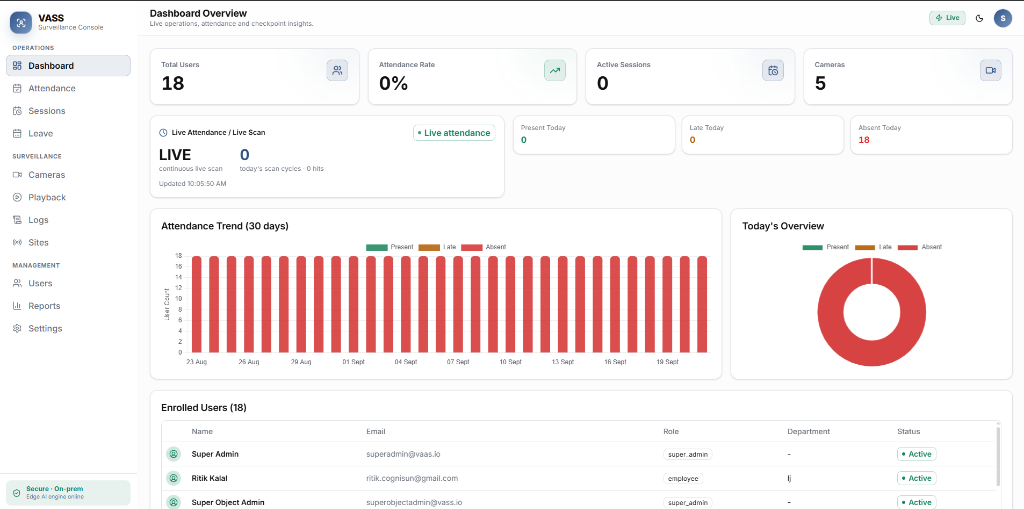
Everything, at a glance
- Totals for users, attendance rate, active sessions and cameras online
- Continuous live scan with today’s present, late and absent counts
- 30-day attendance trend and a same-day breakdown
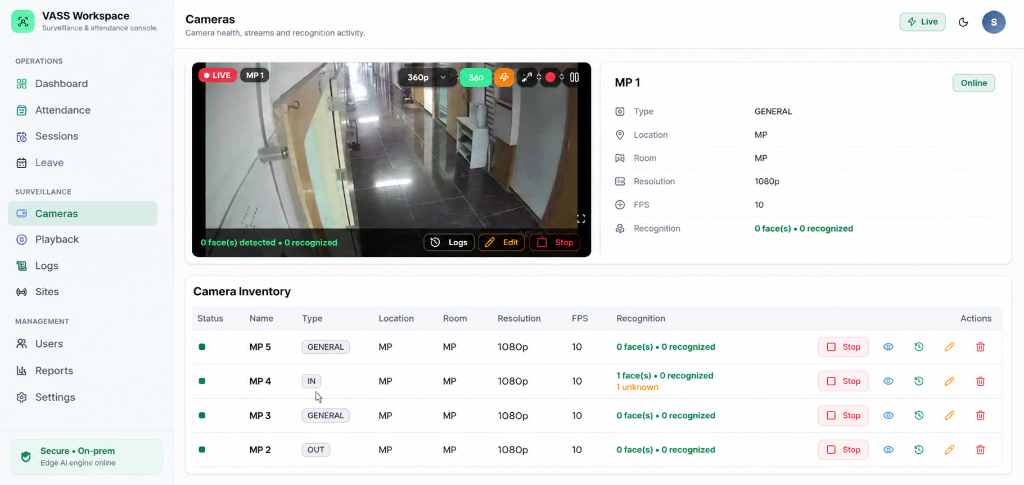
Every camera, live and recognising
- Live view per camera with face and recognition counts overlaid
- Inventory with location, resolution, FPS and recognition status
- Start, stop or edit any camera’s monitoring zone from the console
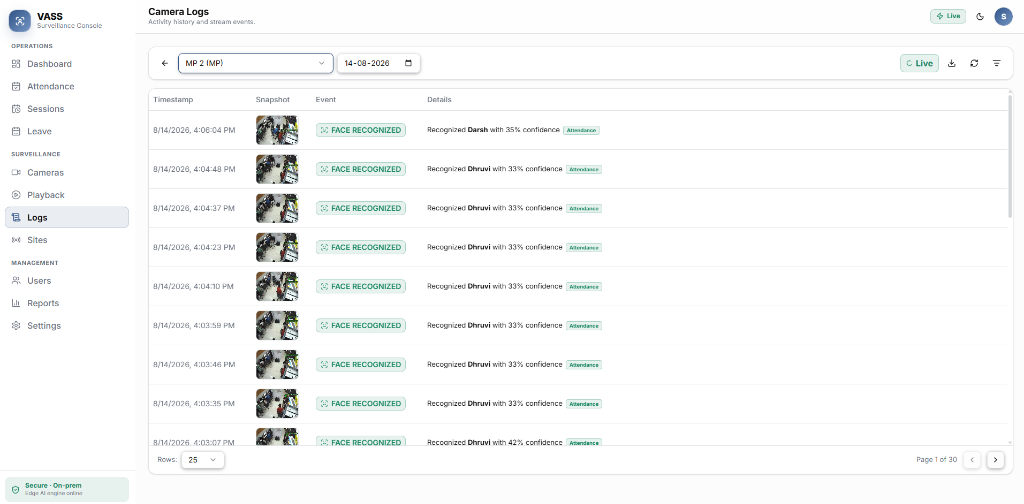
Every recognition, logged
- Each event captured with a timestamp and snapshot
- A confidence score on every match, so nothing is a black box
- Filter by camera and date to investigate any event
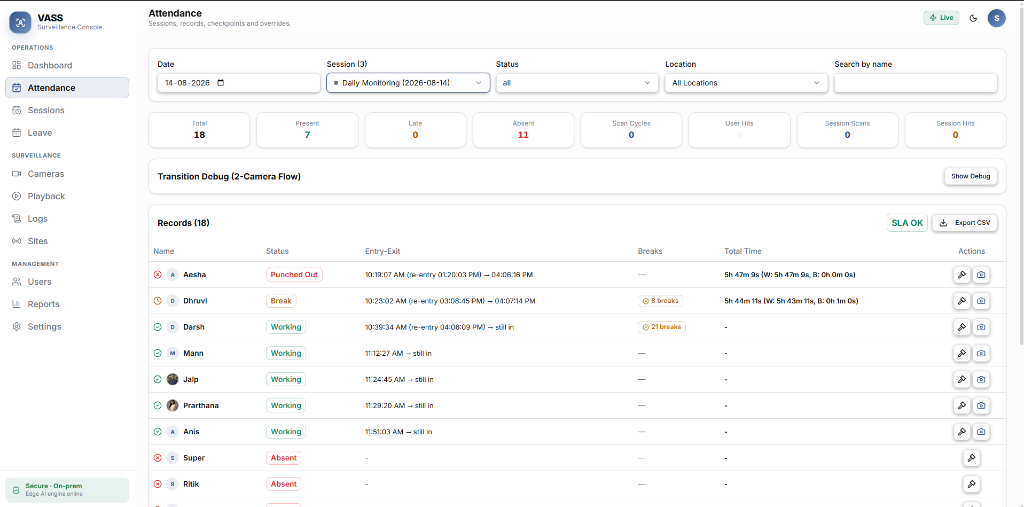
Attendance that tracks itself
- Entry and exit captured as people pass monitored zones
- Breaks and total working time calculated automatically
- Live status per person, and one-click CSV export
Attendance and security were never built to scale.
New scanners at every door
The CCTV cameras you already own
Biometric scanners and RFID mean new hardware at every entry point, and lost cards to replace.
Queues at every entrance
Recognition at walking pace
Multiple faces are processed simultaneously, so nobody stops to scan.
Cameras that only record
Cameras that flag risk live
Passive CCTV can’t tell you who is unauthorised. The Video Attendance & Surveillance System alerts on intruders and restricted-zone breaches.
From a camera stream to a record, in under 20 milliseconds.
Detection, tracking and recognition run at the edge on GPU-accelerated DirectML/ONNX pipelines, continuously, for every camera.
01
Stream
RTSP / ONVIF
Existing IP cameras connect to a GPU-enabled edge server.
02
Detect
SCRFD-10G
GPU-accelerated face detection, many faces per frame.
03
Track
Multi-target tracking
Each person is followed continuously across the scene.
04
Recognise
ArcFace ResNet50
Biometric embeddings matched with >99.8% accuracy.
05
Act
ROI zones
Attendance recorded, or an alert raised, the moment a zone is crossed.
Alongside every frame
Liveness
Laplacian texture variance + EAR blink
Alongside every frame
Behaviour
DeepFace emotion + Eye Aspect Ratio
Six capabilities. One camera network.
Choose one to see how it behaves.
A browser kiosk and an ordinary webcam guide each person through five head orientations by voice, then build a 3D facial template.
Frontal, left, right, +30°, +45°
Enrolled in under 90 seconds. With a webcam.
Voice guidance walks each person through five head orientations. The capture ends with an explicit consent status, built for compliance from day one.
- 1/5Frontal
- 2/5Left
- 3/5Right
- 4/5+30°
- 5/5+45°
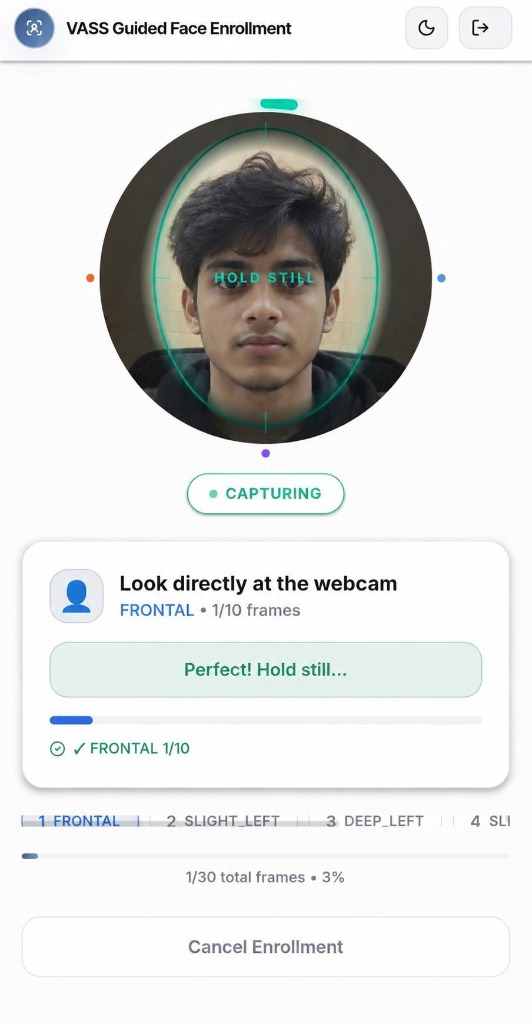
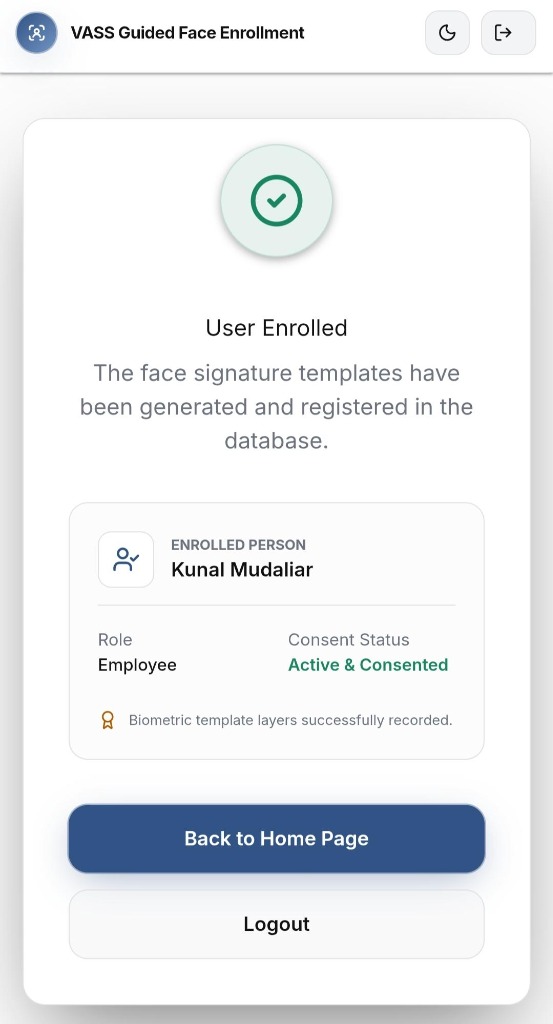
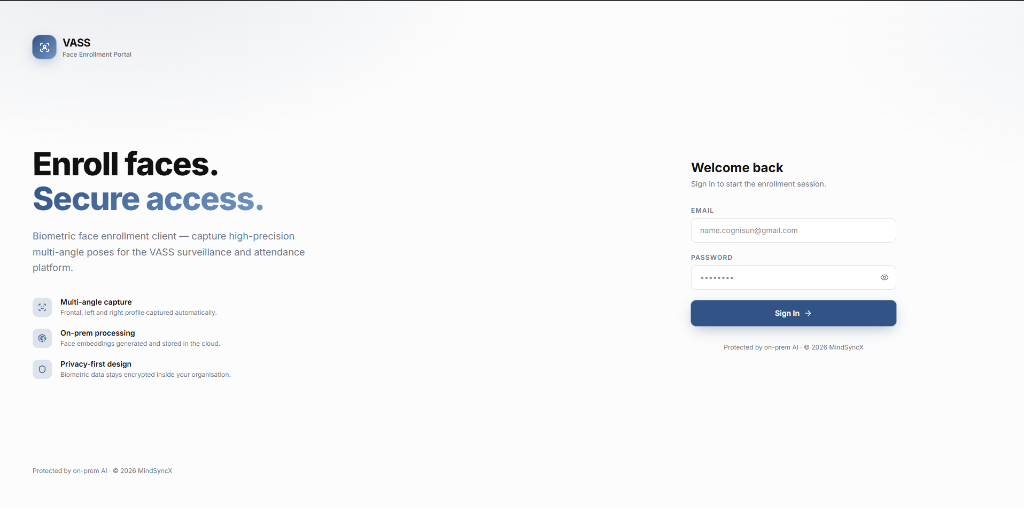
The enrollment portal runs in any browser: multi-angle capture, on-prem processing, and privacy-first design.
Live in five steps.
Set up and connect cameras
Deploy the GPU-enabled edge server and connect existing IP cameras over RTSP/ONVIF. Configure zones and regions of interest.
Enroll people
Each person completes the guided five-step enrollment at a browser kiosk in under 90 seconds.
Monitor live
A multi-camera dashboard shows recognition with name tags and confidence scores, and alerts on intruders or restricted-area breaches.
Attendance and analytics
Attendance is marked automatically as people pass zones, with presence duration, engagement and historical trends.
Report and comply
Export attendance and analytics as CSV, Excel or PDF, with a full audit trail of enrollment and recognition events.
Set up and connect cameras
Deploy the GPU-enabled edge server and connect existing IP cameras over RTSP/ONVIF. Configure zones and regions of interest.
Enroll people
Each person completes the guided five-step enrollment at a browser kiosk in under 90 seconds.
Monitor live
A multi-camera dashboard shows recognition with name tags and confidence scores, and alerts on intruders or restricted-area breaches.
Attendance and analytics
Attendance is marked automatically as people pass zones, with presence duration, engagement and historical trends.
Report and comply
Export attendance and analytics as CSV, Excel or PDF, with a full audit trail of enrollment and recognition events.
Set up and connect cameras
Deploy the GPU-enabled edge server and connect existing IP cameras over RTSP/ONVIF. Configure zones and regions of interest.
Enroll people
Each person completes the guided five-step enrollment at a browser kiosk in under 90 seconds.
Monitor live
A multi-camera dashboard shows recognition with name tags and confidence scores, and alerts on intruders or restricted-area breaches.
Attendance and analytics
Attendance is marked automatically as people pass zones, with presence duration, engagement and historical trends.
Report and comply
Export attendance and analytics as CSV, Excel or PDF, with a full audit trail of enrollment and recognition events.
Proven where people move fast.
Delhi Institute of Technology · 8,000+ students, 50 classrooms
71%89%
average classroom attendance
Professors spent 5–10 minutes per class taking attendance, with no reliable proxy detection.
- Proxy attendance down from 12% to under 1%
- 400+ administrative hours saved a month
- Attendance taking eliminated
From the MindSyncX Video Attendance & Surveillance System use-case documentation. Results reported there in currency are not shown.
Private by design. Supported like it matters.
DPDP Act 2023 and GDPR aligned
A full audit trail of every enrollment and recognition event, with explicit consent recorded at enrollment.
Processing on your premises
Recognition runs on a GPU-enabled edge server on site, not a remote black box.
Hardware-agnostic
Works with any existing IP or CCTV camera, with no new hardware needed at the door.
- 99.9% SLA uptime
- With one year of software maintenance.
- Monday–Saturday, 9:00 AM – 6:00 PM IST
- By email, in-app chat and WhatsApp. 24×7 emergency support and video calls on Enterprise.
- Free onboarding
- Plus full user documentation and video tutorials. A demo session is available on request.
Ready to turn your cameras into an intelligent network?
Tell us about your site (cameras, entrances, people), and we’ll set up a demo session.